How to Opt-in/Out of SMS Communications
Last updated: November 6, 2026
Overview
Customers can receive communications in two ways: SMS or Email.
In this article, we’ll be reviewing how customers can opt in or out of SMS communications.
What are SMS communications?
SMS communications are service-related communications driven by workflows within gaiia. Some examples of these would be billing reminders or if you’re expecting to receive a shipment.
SMS communications do not include marketing/promotional communications. gaiia, including mass communications, isn't meant for marketing messages. Use your own marketing platform for those communications.
Opting in for SMS communication
By default, when customers go through the registration process, they’re asked to provide at least one number at which they can be reached. It can be either a Mobile, Home, or Work, or all three. As long as a customer provides a Mobile phone number, they can opt in to SMS communications.
Some SMS integration might require proof that customers have the choice to opt-in. Here is an example from our testing checkout. You should be able to find a similar version in your checkout to ensure you get validated by your messaging tool.

Retroactively opting in for SMS communication
If a customer did not include a mobile phone number during their registration, they will able to add one in their client portal afterwards which will opt them in for SMS communications.
To do this:Portal > Account settings > Account Details > Update phone numbers
Numbers need to be entered into the correct fields. A home phone number entered in the mobile phone number field will still be opted in for SMS communications.
Opting out of SMS communication
Customers can opt-out of SMS communications in three ways:
Removing their mobile phone number
To do this: Portal > Account settings > Account Details > Update phone numbers
However, since a phone number has to be associated with the account, they will have to replace the removed mobile number with either a home or work phone number.
Reaching out to your support
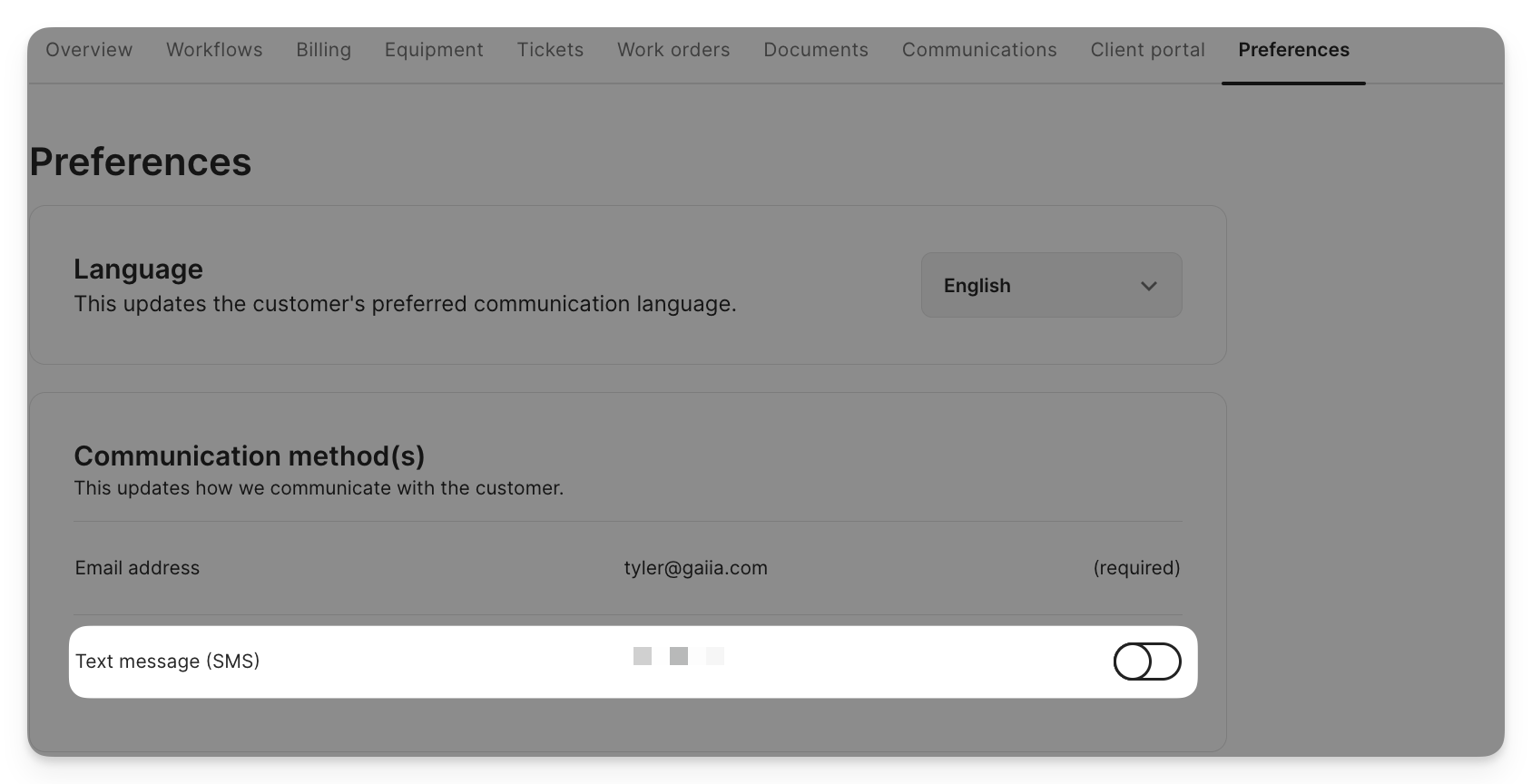
Alternatively, customers can reach out to your customer service team and request to have an agent toggle off the SMS communications preference on their gaiia account.
Replying STOP to a text message
Customers can also opt out by replying to any SMS from your organization with one of these words: STOP, STOPALL, UNSUBSCRIBE, CANCEL, END, QUIT, REVOKE or OPTOUT. The word must be the whole message, in upper or lower case. A sentence such as "please stop texting me" doesn't opt them out.
Once a customer opts out this way:
gaiia stops sending SMS to their phone number, including automated notifications and messages from your team in Conversations.
In Conversations, the thread records that the customer opted out, and a notice replaces the message box.
To opt back in, the customer replies START, UNSTOP or YES. Your team can't opt a customer back in on their behalf.
If a customer opted out of your number outside gaiia, for example directly with your SMS provider, gaiia records the opt-out the first time a message to them is rejected for that reason.