

Roles and Permissions
Overview
Roles and Permissions allow your team to manage who has access to what. This can help you ensure security while displaying only what is needed, enhancing agent focus.
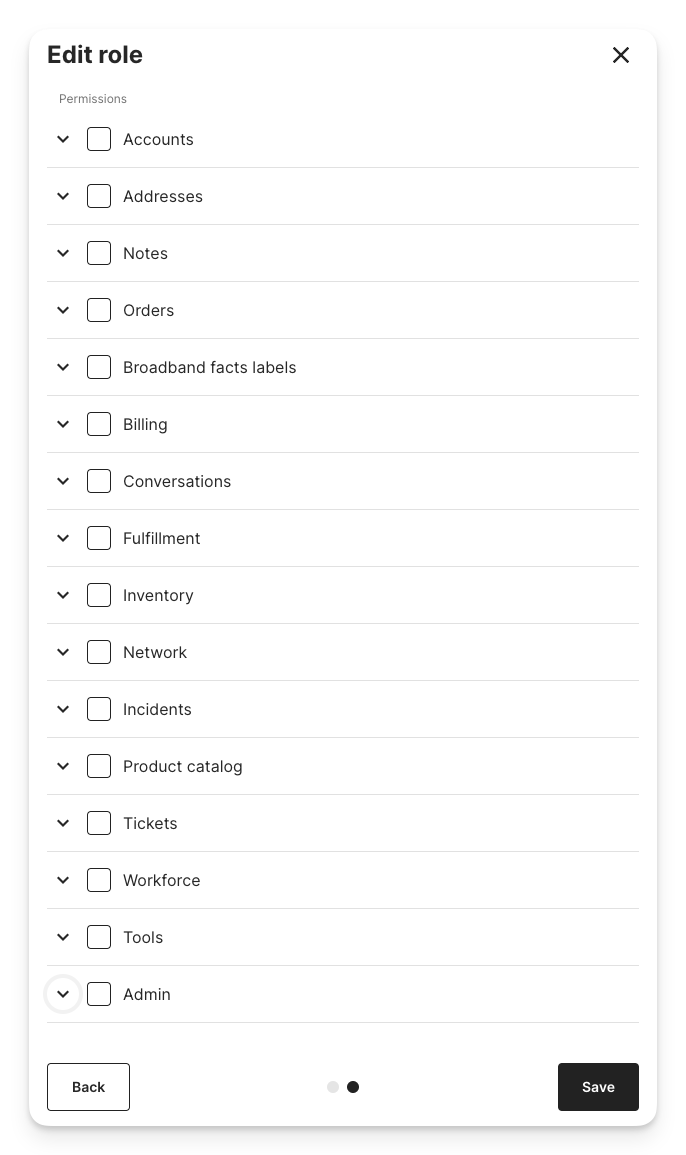
Most permissions are further divided into View, Edit and Create capabilities, allowing for granular control.
For a video overview of roles and permissions, take a look at this article: User Roles & Permissions Settings - Video Guide
Creating a Role
We recommend a "Set a default role" to save you time and effort in the future. This can be edited by selecting "Set a default role" when creating or editing a role. Many roles can be set as default at the same time, which will automatically give many Roles to a new user.
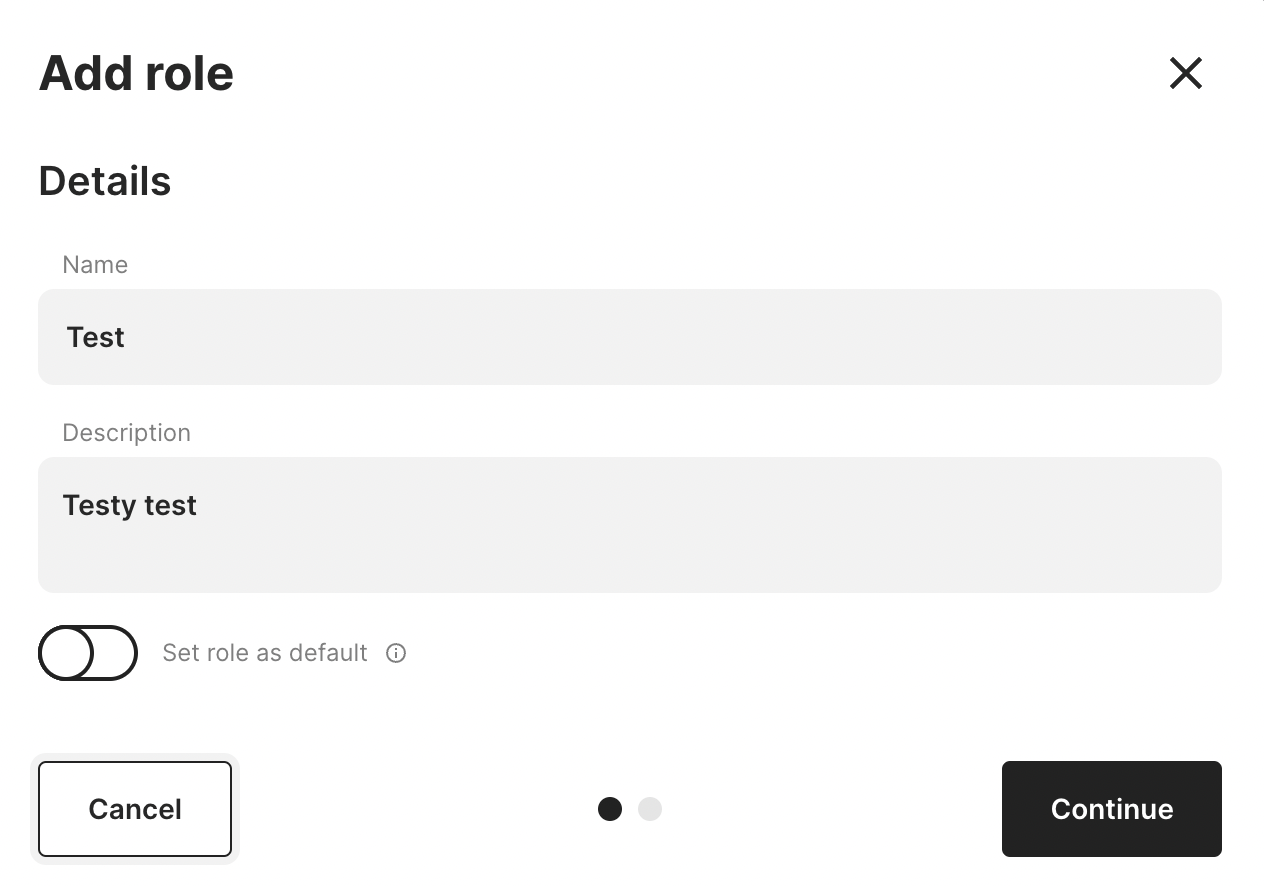
You can modify what a user can access by looking at the "Assigning/Unassigning a Role" section. Create a new Role by going to the menu on the left of your gaiia page, go to the Settings section near the bottom of the page, > Roles > click the "+" button in the top right of your screen. From here, you can
Name the new role and add a description
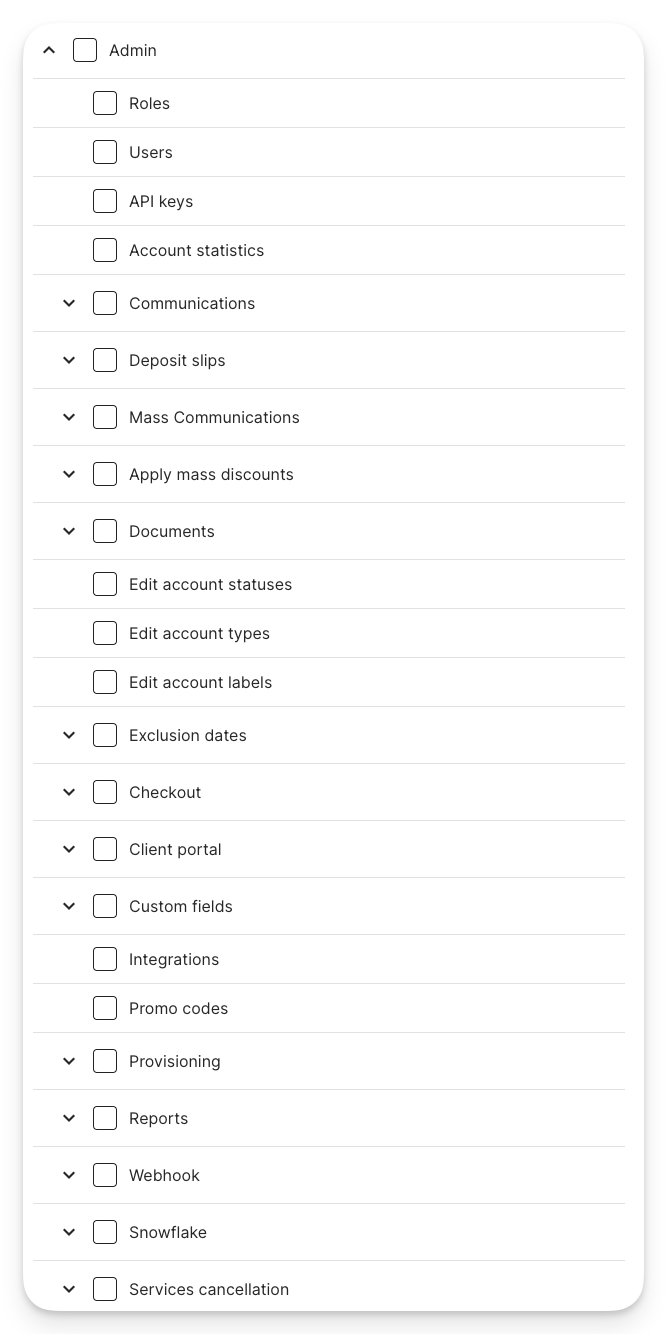
Add appropriate permissions. Note that there is a lot of granularity in the permission to allow you to select precisely what you want to allow your team members to view/edit/create a page. (The left image are generic settings and the right image is for the Admin settings)
Editing a Role
In the menu on the left of your gaiia page, go to the Settings section > Roles > Click the ellipsis menu to the right of the Role you want to edit > Edit. You can change the information and then Save.

Assigning/Un-assigning a Role
Role assignations are dealt with by going to Settings > Users > click the ellipsis menu to the right of the user you want to edit. In the Roles section, you can add or remove Roles and then Save.
Permissions References
Most permissions will have a View and an Edit permission. The view permission provides "read-only access", while the Edit permission allows the user to make changes to the corresponding feature.
To simplify the tables below, we removed the View and Edit permission from the table.
When the box beside the permission name is checked, it means the role has access to the permission and all of its children
If there is a hyphen, it means the role has limited access to the permission and its children.
A black checkbox means the role doesn't have access to the permission and its children.
Permission
Description
Edit account status
Allow editing of the account status of an account
Edit account labels
Allow editing of the account label of an account
Create
Provide access to the account creation form
Export
Allow exporting of the customer list
Billing
Provide access to the billing section within an account
Billing > Discounts
... > Apply custom discounts
... > Apply one-time product discounts
... > Apply one-time subscription discountsAllow applying of various types of discounts to an account
Billing > Subscriptions
... > Add/Reassign recurring discounts
... > Override subscription price
Allow assigning/suspending/unassigning of subscriptions and overriding of subscription price
Client Portal
Provide access to the client portal section within an account
Contacts
Allow editing of the contacts section within an account
Communications
Provide access to the Communications section within an account
Network > {Will vary depending on your integration}
Provide access to the Network section within an account
Documents
Provide access to the Documents section within an account
Equipment
Provide access to the Network section within an account
Workflows
Provide access to the Network section within an account
Workflows > Create
... > Activation
... > Service cancellation
... > Speed modification
... > Suspension
... > Reactivation
... > Customer workflowAllow the creation of each default workflow
Preferences
Provide access to the Network section within an account
Permission
Description
Transactions
Provide access to the organization transactions section
Statistics
Provide access to the organization's Billing Statistics section
Settings
Provide access to the Billing Settings section to manage the organization's default billing settings
Delinquent
Provide access to the Delinquent section
Report
Provide access to the legacy billing reports
Unlinked payments
Provide access to the unlinked payment section
Taxes
Provide access to the organization's taxes configuration
Permission
Description
Addresses
Provide access to the addresses module
Notes
Provide access to the notes section within an account
Properties
Provide access to the properties module
Properties > Property group managers
... > Client Portal
Provide access to the client portal section of a property group
Unit
Allow editing/deleting of a unit of a property
Orders
Provide access to the orders module
Orders > Complete
Allow using of function "mark order as completed"
Orders > Export abandoned orders
Allow exporting of the abandoned orders list
Broadband facts labels
Provide access to the broadband facts label under Products
Broadband facts labels > Edit published labels
Allow editing of a published label
Broadband facts labels > Settings
Provide access to the broadband facts labels setting
Conversation
Provide access to the Conversation module
Fulfillment
Provide access to the Fulfillment module
Grade
Allow editing of the grade of an item within the fulfillment module
Inspection
Provide access to the Inspection section of Fulfillment
Orders
Provide access to the Orders section of Fulfillment
Packing
Provide access to the Packing section of Fulfillment
Returns
Provide access to the Returns section of Fulfillment
Inventory
Provide access to the Inventory module
Inventory > Items
Provide access to the items list within the Inventory module
Inventory > Move
Provide access to the move function within the inventory module
Inventory > Locations
Provide access to the locations list within the inventory module and allow to
Inventory > Settings
Provide access to the move function within the inventory module
Network
Provide access to the Network module
Network > Settings
Allow editing of the network settings
Network > Network sites
Allow editing of the network sites
Incident
Provide access to the incident module
Product catalog
Provide access to the Product catalog module
Product catalog > Categories
Provide access to the Categories in the Product catalog settings
Product catalog > Coverage areas
Provide access to the coverage areas in the Product catalog settings
Product catalog > General ledger codes
Provide access to the general ledger codes in the Product catalog settings
Product catalog > Products
Allow editing of the organization's products
Product catalog > Translation
Provide access to the translation in the Product catalog settings
Tickets
Provide access to the tickets module
Workforce
Provide access to the Workforce module
Workforce > Schedules
Allow editing of the technician schedule
Workforce > Settings
... > Shift template
... > Work typeAllow editing of the Workforce settings
Workforce > Technicians
Allow editing technicians' information
Workforce > Work Orders
Allow editing of the work orders
Workforce > Technician platform
Provide access to the technician platform from the browser and the gaiia field service application
Permission
Description
Roles
Provide access to the Roles section to manage permissions
User
Provide access to the Users section to add/edit/archive users
API keys
Provide access to the API key section to create/revoke API keys
Account statistics
Provide access to the accounts statistics section
Communications
Provide access to the communication section to manage system and custom templates
Deposit slip
Provide access to the mass action - Deposit slip
Mass communication
Provide access to the mass action - Send communication
Apply mass discounts
Provide access to the mass action - Apply discount
Document
Provide access to the communication section to manage system and custom templates
Edit account status
Allow editing of the available account statuses
Edit account types
Allow editing of the available account types
Edit account labels
Allow editing of the available account labels
Exclusion dates
Provide access to the Exclusion date section to manage delinquency exclusion
Checkout
Provide access to the checkout section to customize checkout options
Client portal
Provide access to the client portal section to customize the client portal options
Custom fields
Provide access to the Custom fields section to manage your accounts and addresses custom fields
Integrations
Provide access to the Integration section to manage your integrations
Provisioning
Provide access to the Provisioning section to manage your CPE and network integration
Reports
Provide access to the Reports section to manage your reports
Webhooks
Provide access to the Webhooks section to create/edit/disable/delete webhooks
Snowflake
Provide access to the checkout section to manage snowflake users
Service cancellation
Provide access to the checkout section to manage the available service cancellation reasons