

Account Overview tab, explained
The Overview page gives you a quick snapshot of an account. It centralizes key information, recent activity, and account status so you can understand the situation at a glance.
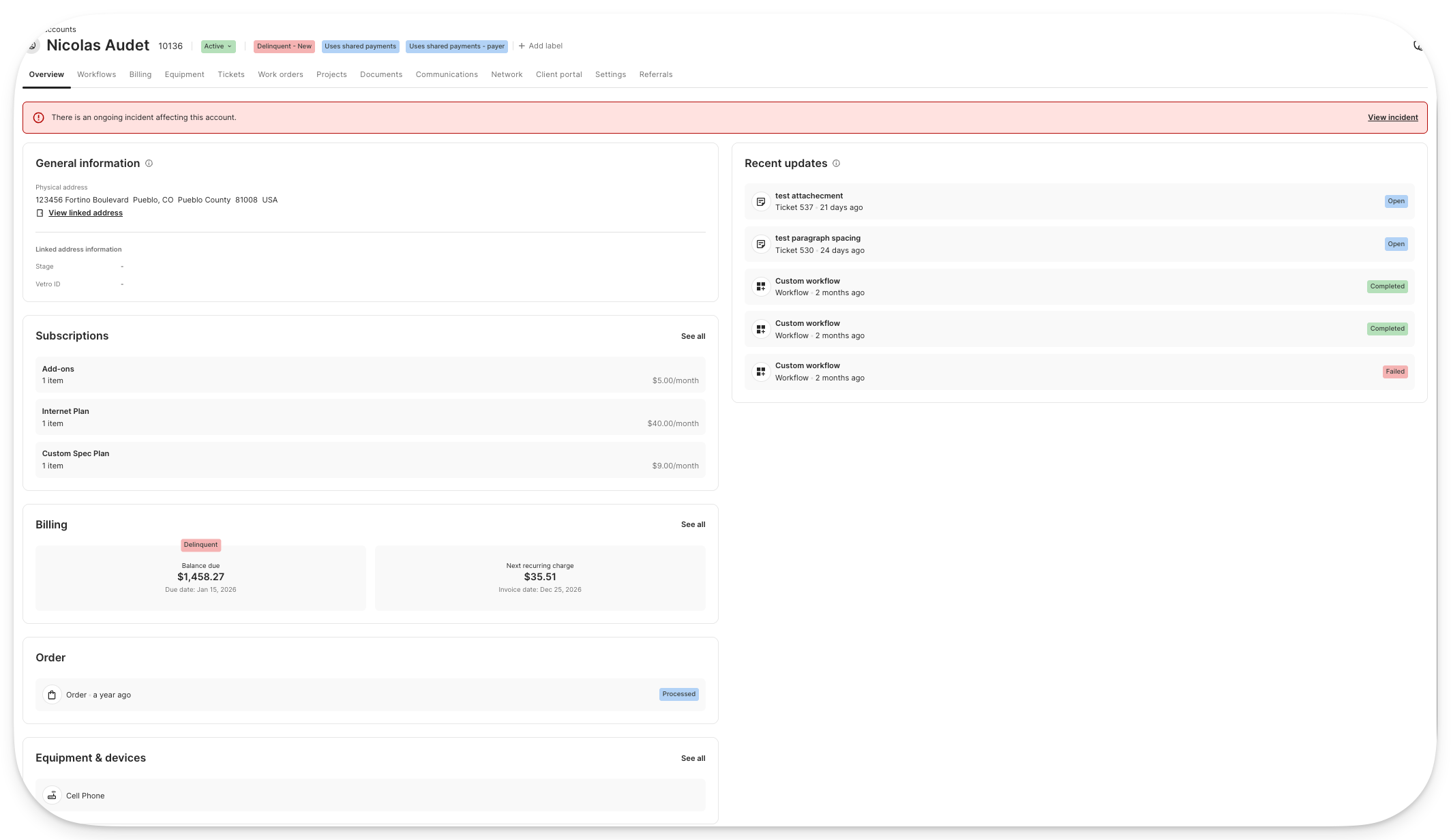
Account header
At the top of the page, you can quickly identify the account and its current state.
Account name and Account ID: Displays the customer name and unique identifier.
Labels: Highlight important account states such as "Active", "Delinquent", or custom labels.
Incident banner: If the account is impacted by an incident, a visible banner appears with a link to
View incident.
General information
This section contains the main account details.
Physical address: The service location associated with the account.
Linked address: A clickable link that redirects to the address.
Additional details: May include internal identifiers such as Stage or Vetro ID.
Subscriptions
This section lists all active services tied to the account.
Plans: Core services such as Internet plans.
Add-ons: Additional features or services.
Pricing: Monthly cost for each item.
You can click See all to view full subscription details.
Billing
This section provides a summary of the account’s financial status.
Balance due: Outstanding amount and due date.
Status: For example, "Delinquent" if payment is overdue.
Next recurring charge: Upcoming invoice amount and date.
Order
Displays the order associated with the account. A clickable link that redirects to the order.
Order status: For example, "Processed".
Timeline: Indicates when the order was created.
Equipment & devices
Lists devices assigned to the account.
Device type: For example, a Cell Phone or modem.
Click See all to access the full inventory.
Recent updates
This section shows the five latest activities (workflow, ticket, work order) related to the account.
Tickets: Recently updated or created tickets.
Workflows: Completed or failed automations.
Status indicators: Quickly identify outcomes such as "Completed" or "Failed".
The Overview page is designed to provide a quick understanding of the account without navigating through multiple tabs.