Release Notes: November 30th, 2026
Last updated: November 27, 2026
Overview
gaiia Agent is the headline: the AI agent built into gaiia arrives in beta, with an Agent Hub where admins can see how it is being used. Arrival windows can now follow the time zone of each service address, checkout can show bundles on every plan screen and check availability sooner, and a workflow execution now highlights only the path the run took. Several billing changes have already shipped, including plain-language ACH return codes and a delivery check for pre-delinquency notices. This is a preview of what is coming so you can prepare.
Accounts
Set PIN expiry yourself: Expected: Releasing November 30th
The account verification PIN expiry is moving into your settings, so you can set it yourself without raising a ticket. Until now, gaiia changed it on request.
For more details, check out this article: Setting up account verification
Make the accounts table your own: Expected: Coming soon
You will be able to choose which columns the accounts table shows, reorder them, sort by them and reset them to the default. Saved views for each user will follow, so a layout can be kept rather than rebuilt each time.
Search on custom fields: Expected: Coming soon
Custom field values on accounts, businesses and addresses will become searchable, including finding an account by circuit ID from global search.
Keep coordinates you set by hand: Expected: Coming soon
When someone places an address pin manually, that choice will be recorded and respected, so a later automatic lookup no longer updates it.
For more details, check out this article: Understanding Address Coordinates in gaiia
Fewer duplicate addresses from small differences: Expected: Coming soon
Address matching will be tightened to give better results when addresses differ slightly in case or unit format, or contain an incorrectly formatted postal code.
AI Agent
Meet gaiia Agent (beta): Expected: Releasing November 30th
gaiia Agent is an AI agent built into gaiia. Ask it about your accounts, billing, tickets, work orders and more, or have it build, test and fix your workflows. Click Ask gaiia or press ⌘ + J (Ctrl + J on Windows) from any page. It works with your own permissions and asks you to approve each change before it makes it. Using gaiia Agent covers what it can work with, how approvals work and where your chats are saved.
Two AI agents permissions on each role (Settings > Roles) control who can use it. AI agents > Use lets someone ask questions and use read-only tools. Use tools that can change data lets the agent make changes for that person, such as updating an account, a ticket or a workflow.
Until November 30, roles with Workflows > View keep access to the AI features. From November 30, only roles with the AI agents permissions can use gaiia Agent and the workflow AI assistant. Check your roles in Settings > Roles.
Introducing the Agent Hub: Expected: Releasing November 30th
The Agent Hub is where admins see how gaiia Agent is being used in their workspaces. Each agent has an Overview showing chat trends, a Sessions tab listing every chat and who started it, and a Feedback tab with the feedback people have given. Admins can also disable and enable agents from here.
Three Agent Hub permissions on each role (Settings > Roles) control it: View to see the Agent Hub, Edit to turn an agent off or on, and View all users' sessions to read other people's chats.
For more details, check out this article: Using the Agent Hub
Analytics
Report on user groups in Snowflake: Expected: Releasing November 30th
Your user groups are now in your Snowflake data, in the new
USER.USER_GROUPview. A group's ID matches the user group on a ticket (TICKETING.TICKET.USER_GROUP_ID), so you can report on tickets by group.User groups are not yet available in the Analytics module.
Billing
Cancel subscriptions through the public API: Released
The
cancelBillingSubscriptionsmutation is now public in API v1. It also has a new option to cancel a subscription without issuing a credit.See the gaiia Mail integration in Settings: Released
The gaiia Mail integration now shows in Settings > Integrations for every organization.
Check that a pre-delinquency notice was delivered before suspending: Released
Your delinquency workflow can now check whether the pre-delinquency notice reached the customer, then choose between suspension and manual review. An account that received the notice but is not yet delinquent is not shown as delinquent anywhere. Physically mailed notices are not covered.
Read what an ACH return code means: Released
Transaction details now explain an ACH return code, such as R01 for insufficient funds, instead of showing only the code.
Get the invoice as it was sent in the client portal: Released
The client portal now serves the invoice PDF as it was first sent, instead of a version rebuilt from the current template. This feature is off by default and can be turned on by request.
Tell apart preview lines for items of the same product: Released
Subscription change previews now show which subscription item each line belongs to, so you can tell apart the lines for two items of the same product.
Pay by bank account at checkout with Gravity, Paymentus or NMI: Expected: Coming soon
Customers will be able to pay by bank account (ACH) at checkout when you use Gravity, Paymentus or NMI.
Send the pre-delinquency notice on several days: Expected: Coming soon
You will be able to pick several days before delinquency on which customers receive the pre-delinquency notice. Currently, only one day can be selected.
Request total counts in API v1 lists on the first page only: Expected: Coming soon
API v1 lists will reject a total count request on pages after the first. A total count will also use more of your rate limit, especially on the largest lists.
If your integration requests a total count on every page of an API v1 list, update it to request the count on the first page only.
Checkout
Track more events with Google Tag Manager: Released
Organizations using Google Tag Manager can now track 46 more events: 7 in checkout and 39 in the client portal, including logins, payments, plan changes and cancellations. Find the complete list of events in Using Google Tag Manager in the checkout and client portal.
Faster availability results in checkout (beta): Expected: Releasing November 30th
Checkout now starts checking product availability as soon as it knows the customer's address, before they click Check availability or Confirm location. Customers therefore wait less to see the plans available at their address. To have it turned on, contact support@gaiia.com.
Show bundles on plan screens throughout checkout (beta): Expected: Releasing November 30th
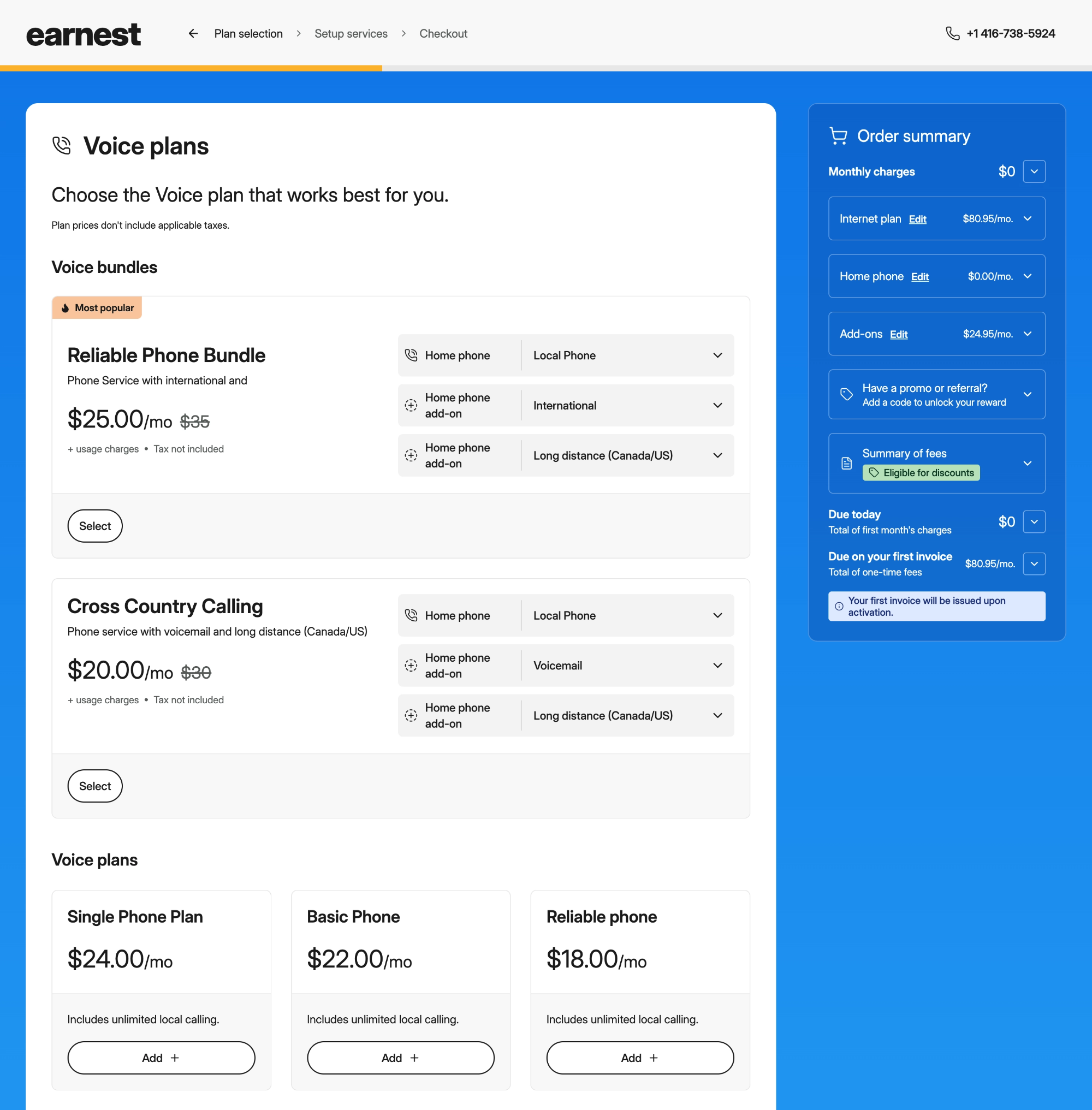
You can now show bundle tiles on the Internet, Residential Phone, Router, Mobile and TV screens, not just the Featured Bundles step. Choose which bundles appear on each screen and in what order. Bundles show above individual plans.
For more details, check out this article: Configuring featured bundles
Set custom browser tab titles for the client portal and checkout: Expected: Releasing November 30th
You can now set the browser tab title for your client portal and checkout in the CMS, so it matches your brand (for example, "Acme customer account" instead of "Client portal"). If no title is set, the default title stays the same.
For more details, check out this article: Using the Content Management System (CMS)
Edit the add-ons heading on plan screens: Expected: Coming soon
You will be able to change the add-ons heading on the Internet, Router, TV, Residential Phone and Mobile screens in the CMS. For example, an organization that sells to businesses could change "Add services and features to your home phone plan" to say "business phone plan."
Communications
Send a test to an address you choose: Expected: Coming soon
Test sends currently go only to the sender's own address. An allowlist will let you test a template with a shared inbox or a colleague before it is sent for real.
Previews that use your own values: Expected: Coming soon
Template previews currently fall back to leftover sample values. These will be replaced so that a preview better reflects your settings.
Print and mail for regulatory notices: Expected: Coming soon
You will be able to send physical mail from gaiia alongside your email communications, with delivery failures classified in the Communications report.
Conversations
Know when you are mentioned: Expected: Coming soon
You will receive an in-app notification when you are @mentioned in a conversation or a ticket note.
Projects
Create work orders from a project and sequence them: Expected: Releasing November 30th
Work orders can now be created from a project and ordered as steps, so field work follows the same sequence as the rest of the project. They appear in Workforce as project-generated work orders.
Edit a project type without starting at the beginning: Expected: Coming soon
The project type builder will gain Save and Cancel, and will let you edit steps in any order rather than only from first to last.
Tickets
Photo details captured on upload: Expected: Releasing November 30th
Photos attached to a ticket now keep their capture details, which are shown on the image and can be queried in reports and through API v1. You can check when and where a field photo was taken rather than taking it on trust.
Know when a ticket is assigned to you: Expected: Coming soon
You will receive an in-app notification when a ticket is assigned to you, in the same notification hub as conversations.
Workflows
See which workflows use each secret and variable: Expected: Releasing November 30th
The Secrets and Variables tabs in Workflow Settings now have a Workflows column that counts the published workflows using each one. Click the count to see which workflows they are and open any of them, so you know what a change will affect before you make it.
A secret or variable that a published workflow uses can no longer be deleted by mistake: remove it from those workflows first. Understanding Node Input Types has the details, along with how secrets and variables work in your nodes.
See only the path a run took in the execution graph: Expected: Releasing November 30th
On a workflow execution, the graph now fades every link the run did not take, error links included, so the path it followed stands out. An error link shows as taken only when a node failed and handed off to it. Large workflows also open faster, and clicking a node no longer freezes the page.
The workflow configuration AI assistant follows the AI agents permissions: Expected: Releasing November 30th
The AI assistant that helps write code, GraphQL and JSON in the node configuration editor of the workflow builder is now controlled by the same AI agents permissions as gaiia Agent, so one setting on the role covers both.
Workforce
Field Service App 1.20 - Work order overview, My Inventory and two-way SMS: Released
Field Service App 1.20 brings three upgrades: a new work order Overview page, My Inventory, and two-way SMS.
Two-way SMS requires the Conversations module and the Conversations permission under Workforce > Field Service App. If you are not using the Conversations module yet, contact support@gaiia.com.
Filter temporary overrides by date range: Released
You can now filter temporary overrides with a date range selector.
For more details, check out this article: Using temporary overrides
Arrival windows that adapt to time zones: Expected: Releasing November 30th
You can now use Adaptive time zones for arrival windows, so an 8–11 am window booked in checkout means 8–11 am local time whether the address is in Florida or Utah. Until now, only the Anchored option was available, which keeps every window relative to your default time zone: for an ISP based in Florida, an 8–11 am window appears as 5–8 am to a customer booking an installation in California.
To change the setting, go to Settings > Appointments, open the General tab and find the Scheduling windows section.
Pick a time zone during shift assignment: Expected: Coming soon
You will soon be able to pick a time zone when assigning a shift, so one template can be used nationally: pick a template, then pick a time zone while assigning the shift to a technician.
See who changed a technician profile: Expected: Coming soon
A new Activity tab on the technician profile will show who edited a technician's default work types, coverage area, base location or auto-assign exclusion status.
How we use these release notes
These notes represent a projection of upcoming changes over the next few weeks. Timelines may vary, and details may evolve. We may also update this article with additional information once features are fully released. Note that we only share changes that have a visible impact on the platform — many more improvements ship behind the scenes without appearing in the release notes, whether to stability, performance (such as loading times), or security.