

Release Notes: Jan 15th, 2024
Overview
This page tracks product updates that were released on the date noted in the article title. See below for details.
Product Update
User interface
Added the possibility to import promo codes in bulk

Client Portal
Introduced a prompt to alert customers if they attempt to navigate away from a support ticket page without sending their composed reply
Added possibility for customers to filter support tickets in the client portal
Introduced a new notification beneath the customer's current balance, which activates during payment processing
This alert communicates that any changes to the balance will be reflected only after the payment has been successfully processed
This alert also displays what the balance of the customer will be once the payment has been successfully processed
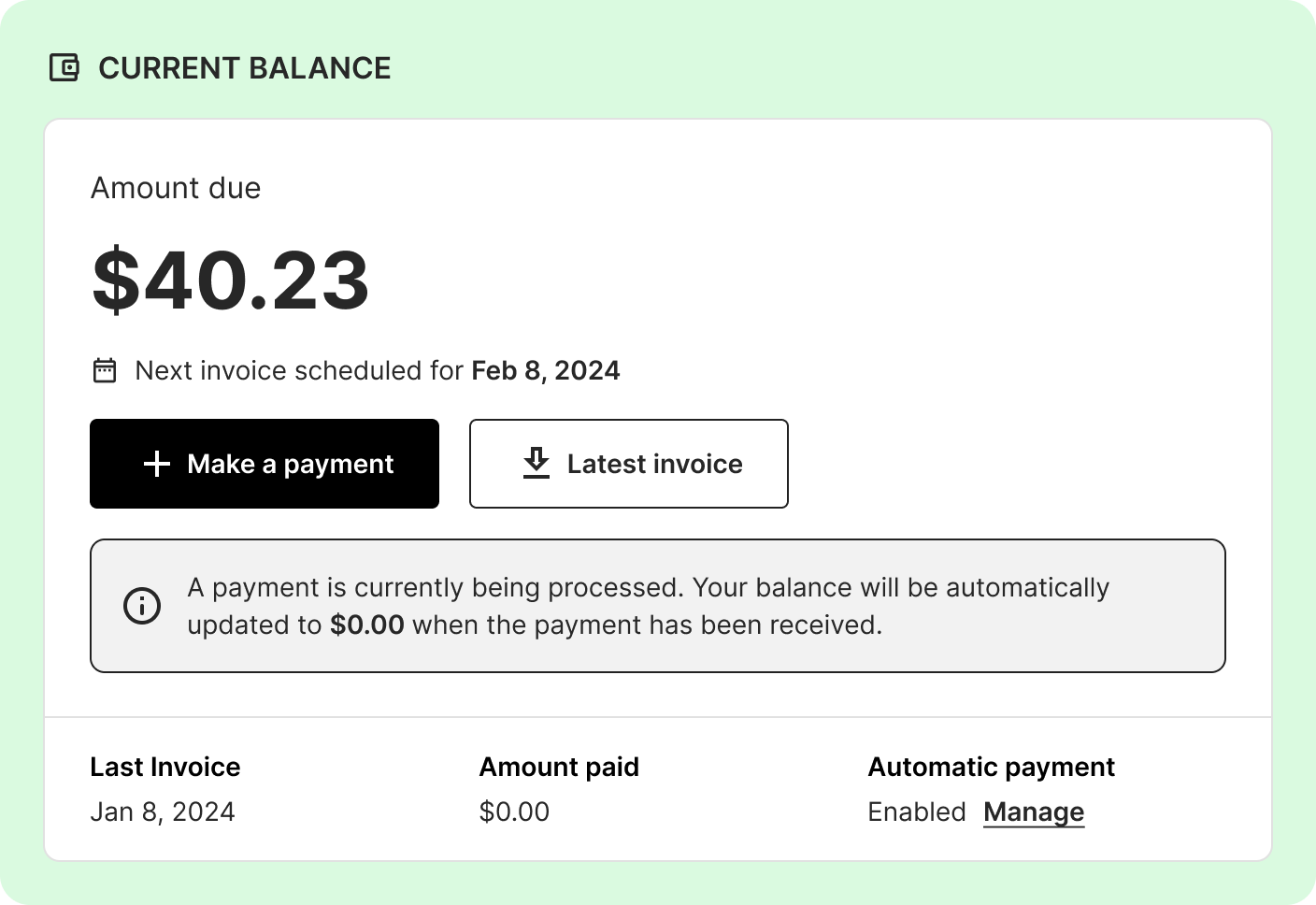
Fixed: Payment modals now remain open until processing is complete, preventing premature closure by customers
Notifications
Fixed: Payment communications for successful and failed transactions are now properly sent to customers, regardless of their invoice issue dates.
Successful payment communications will be sent except when the payment date coincides with the invoice date, as the invoice itself confirms the payment.
Notifications for unsuccessful payments will now always be dispatched to ensure customers are promptly informed of any issues, regardless of their billing setup.
Added a new merge tag “totalBalanceDue” that displays the total outstanding balance of a customer
Available on the “payment due”, “manual statement”, “statement” & “overdue” communication templates
Each communication templates must be manually updated to leverage this new merge tag
Billing
Overdue and delinquency fees are now automatically appended to existing invoices, eliminating the need for manual regeneration.
This feature is on by default, but can be disabled via a feature flag
Implemented the first iteration of the “Mailed invoices” report, allowing tenants to download a collated list of invoices for customers with the “Receives printed invoice” option enabled, facilitating the printing of these invoices.
The “Receives printed invoice” option can only be enabled by an agent from a customer’s account page, under the Billing settings tab
This report is automatically generated on days where invoices for customers with the “Receives printed invoice” option enabled would normally be generated
This report will not be generated if no such invoice exists on a given day
A fee for this service can be applied to a customer’s balance each time an invoice is generated
This fee is off by default and must be manually set under the Billing setting “Apply a fee when an account receives a printed invoice” of the admin tab
Network
Fixed: Enabled scheduling reactivations for provider “NONE”, preventing errors in sandbox instances and for tenants with no network integration
Product
Added the option to filter by coverage area in the Products page
Improvements to the coverage areas feature
Page optimization for faster loading speed
Added pagination, sorting, filtering, and searching for coverage areas
Added the ability to export data from a coverage area using the three vertical dots next to it